Hey there.
This year I've chosen time as my personal theme for Global Accessibility Awareness Day. Your time is your most precious resource. Obvious no? Yet the value of your time is only there if you spend it in a way that you can be happy about, even (or especially) retrospectively. Your time is also the greatest gift you can give whether it is time to read stories to kids, time to listen to someone in need of your ear, time to solve problems, time to make a website or app accessible, and so on. You are busy. I know. I'll try to use less commas.
I once worked with a remarkable dude named Jon Thomas Kameoka. He ran our local network. Jon was well acquainted with the patience aspect of human-time as it took quite a while for him to physically articulate words. When I first met him I wasn't sure how to interact, and some people seemed to interact with him with a few words, quick waves and nods. I was busy. Then one day when we were alone I decided to try a real conversation. I quickly realized he was just a sharp dude with physical obstacles. Later, whenever I spent the time to listen carefully I was often well rewarded as his satirical wit was shatteringly funny. He actually toiled to produce speech for the gift of entertainment! I regret all those times I rushed past him or cut our conversation off early because I had to get back to work. I could have made up the time. I can't make up the time with Jon anymore. I do not regret any of those times I stopped to chat. These days I occasionally come across things that remind me of him and how the time-patience battle often gets in the way. A recent reminder for me was coming across a commencement address by David Foster Wallace:
I'm not sure how I feel about the video since it feels a little obvious eh? Awareness and perspective are vital. Self-centered thinking is a prison. It is a trap. I want to say decide for yourself how you want to assess time and value. How do you value grace? I think rushing slows you down; give your time while you can.
[Hey I just saved you a few minutes by editing out a rambling philosophical digression.] Anyways, without getting caught up in debate about the concept of time let's at least agree it is something we can't live without. Sadly time takes precious things away from us. On this day, can you take 59 minutes to investigate accessibility in your workplace and in your products? Research accessibility, reach out to peers, ask questions. I am sure you will be rewarded for it, especially if it gives you new perspective. Sorry about that last comma.
Showing posts with label accessibility. Show all posts
Showing posts with label accessibility. Show all posts
Thursday, May 9, 2013

Thursday, July 5, 2012
Canvas Accessibility
On its own the HTML canvas element is not accessible to everyone and that's not likely to change. The canvas itself is simply a primitive drawing surface that web developers can use via a fairly low level graphics API. For example code to draw a triangle might look something like this:
-- MDN
This offers developers a "standards compliant" way to have high fidelity control over the graphics of their web offering. Polished visual experiences usually reserved for the desktop, or for browser plugins (which are not web standards) can now be delivered in a web page.
Canvas sucks though.
You might say wat!? I'm going to naively try to condense thousands of words into a few here. There have been a great many splendid web experiences built with a good underlying document structure (DOM) consisting of the elements that have been around a lot longer than canvas. Combined with CSS, ARIA, and js it is possible to provide innovative web experiences for everyone. The elements and structure provide meaning that can be leveraged for accessibility, for searching, for styling etc. With canvas we lose that.
So what can we do for developers that need to use canvas?
Well, presumably if they are creating anything sophisticated there is meaning and structure somewhere. For example right now it might be in home-grown js data structures. If we could just find a way to have a consistent way for web developers to store structure then we have a glimmer of hope in providing accessibility tools with the information they need. What structure should we suggest web developers use? Well, how about HTML?
February 29th, 2012 we landed support for canvas accessibility in the development version of Firefox (which is now Firefox 13). In a nutshell a web developer can use the power of html inside canvas. The html will not itself be drawn on the screen, since that would circumvent the web developer's reason to choose canvas, and just be silly, but in all other respects this HTML will be "alive". Web developers will be able to utilize the built in keyboard navigation and event handling of the web, and the accessibility of the web.
Steve over at TPG has a good blog about HTML5 canvas accessibility support in FF and IE.
ctx.beginPath();ctx.moveTo(75,50);ctx.lineTo(100,75);ctx.lineTo(100,25);ctx.fill();-- MDN
This offers developers a "standards compliant" way to have high fidelity control over the graphics of their web offering. Polished visual experiences usually reserved for the desktop, or for browser plugins (which are not web standards) can now be delivered in a web page.
Canvas sucks though.
You might say wat!? I'm going to naively try to condense thousands of words into a few here. There have been a great many splendid web experiences built with a good underlying document structure (DOM) consisting of the elements that have been around a lot longer than canvas. Combined with CSS, ARIA, and js it is possible to provide innovative web experiences for everyone. The elements and structure provide meaning that can be leveraged for accessibility, for searching, for styling etc. With canvas we lose that.
So what can we do for developers that need to use canvas?
Well, presumably if they are creating anything sophisticated there is meaning and structure somewhere. For example right now it might be in home-grown js data structures. If we could just find a way to have a consistent way for web developers to store structure then we have a glimmer of hope in providing accessibility tools with the information they need. What structure should we suggest web developers use? Well, how about HTML?
February 29th, 2012 we landed support for canvas accessibility in the development version of Firefox (which is now Firefox 13). In a nutshell a web developer can use the power of html inside canvas. The html will not itself be drawn on the screen, since that would circumvent the web developer's reason to choose canvas, and just be silly, but in all other respects this HTML will be "alive". Web developers will be able to utilize the built in keyboard navigation and event handling of the web, and the accessibility of the web.
Steve over at TPG has a good blog about HTML5 canvas accessibility support in FF and IE.
Monday, March 21, 2011
Wanted: Mozilla Accessibility Developer
Best. Job. Ever.
Accessibility provides one of the most interesting and rewarding software development careers. This statement is biased to be sure, but consider these examples of problems in web browser accessibility:
The web browser is a large and complex program. In order to do a really good job with providing web accessibility through the browser you should understand how everything works, including the layout engine itself. There is no end to the learning process and the depth of real world computer science-y goodness.
Pretty soon we'll work to provide an enjoyable eyes-free experience with Mobile Firefox on Android. We'll need to refactor our accessibility engine for out of process content. We'll need to help design and drive the next web and desktop accessibility APIs. We'll help define speech on the web. We'll do this because it helps people with disabilities participate in the open web and because we love it.
Sound intriguing? If interested please send a plain text résumé to: the first letter of my first name joined to my entire last name, at mozilla dot com.
Accessibility provides one of the most interesting and rewarding software development careers. This statement is biased to be sure, but consider these examples of problems in web browser accessibility:
- Exposing JavaScript driven web applications to screen readers.
- Making new HTML accessible, for example: canvas and video.
- Gathering information from the layout engine asynchronously but supporting desktop clients synchronously.
- Caching information about web content and reporting relevant changes to assistive technology desktop clients.
- Communicating the changes of a mutating DOM performantly and securely; choosing the right data structures and optimizing our traversal and filtering algorithms.
The web browser is a large and complex program. In order to do a really good job with providing web accessibility through the browser you should understand how everything works, including the layout engine itself. There is no end to the learning process and the depth of real world computer science-y goodness.
Pretty soon we'll work to provide an enjoyable eyes-free experience with Mobile Firefox on Android. We'll need to refactor our accessibility engine for out of process content. We'll need to help design and drive the next web and desktop accessibility APIs. We'll help define speech on the web. We'll do this because it helps people with disabilities participate in the open web and because we love it.
Sound intriguing? If interested please send a plain text résumé to: the first letter of my first name joined to my entire last name, at mozilla dot com.
Friday, November 5, 2010
Asynchronous Accessibility?
Our current gecko accessibility engine (GAE) happily serves chrome and content information through synchronous desktop accessibility API such as MSAA/IA2. For example a screen reader makes a synchronous IPC call over COM via MSAA/IA2 into our process where we (GAE) grab the information requested and return it (pass it back).
Firefox will almost certainly be moving web content rendering out of the chrome process. Communication between chrome and content processes will be done asynchronously because users like their browsers to be responsive. Desktop accessibility API is implicitly synchronous. In addition to the chrome (browser UI) process, content processes contain a lot of juicy information (i.e DOM) that needs to be served through desktop accessibility API.
What to do?
Hypothesis 1:
Forward messages between the chrome and content processes.
H1 conclusion:
Fail. Google tried this and it is too slow.
Hypothesis 2:
Cache all the chrome and content information in one process.
H2 conclusion:
Google is now doing this with some success. If a screen reader is detected, they cache the accessible DOM tree(s) in the main browser process. Cache latency can lead to screen readers getting stale information sometimes, but it is expected that firing desktop update events will mitigate this.
Hypothesis 3:
Create asynchronous desktop API.
H3 conclusion:
Yeah, this might be a pipe dream.
I am currently thinking about something like H2, but that would allow assistive technology to transition to H3. In terms of pictures, here is my thinking:
 This minimalist figure shows boxes for chrome, and content processes with asynchronous connections to box that represents an accessibility process called "Async Accessibility" (needs a better name). This box butts up to another box that essentially represents our current gecko accessibility engine, which in turn has a synchronous connection to assistive technology (over desktop API).
If we then begin providing desktop access to "Async Accessibility", my hope is that progressive AT could begin using this API when they are ready. As I write this I admit I have serious doubts this would actually happen, but I want to get this thinking out there.
This minimalist figure shows boxes for chrome, and content processes with asynchronous connections to box that represents an accessibility process called "Async Accessibility" (needs a better name). This box butts up to another box that essentially represents our current gecko accessibility engine, which in turn has a synchronous connection to assistive technology (over desktop API).
If we then begin providing desktop access to "Async Accessibility", my hope is that progressive AT could begin using this API when they are ready. As I write this I admit I have serious doubts this would actually happen, but I want to get this thinking out there.
 This figure shows AT using asynchronous API to access "Async Accessibility" through some as yet undefined API and usage pattern.
In some ways H2 and H3 are similar, with H2 being more straightforward. I haven't attempted to estimate the engineering effort for either approach but there is a good chance we'll end up with something closer to H2. It all depends on resourcing and time, and how quickly our desktop firefox moves to multi-process content and how long we might support a single process mode.
I'd like to thank Josh Matthews (jdm) for sanity checking this before I posted it. Feedback is welcome. I'm hoping to iterate on this and to ultimately develop a solid implementation plan by mid December.
Thanks for reading.
This figure shows AT using asynchronous API to access "Async Accessibility" through some as yet undefined API and usage pattern.
In some ways H2 and H3 are similar, with H2 being more straightforward. I haven't attempted to estimate the engineering effort for either approach but there is a good chance we'll end up with something closer to H2. It all depends on resourcing and time, and how quickly our desktop firefox moves to multi-process content and how long we might support a single process mode.
I'd like to thank Josh Matthews (jdm) for sanity checking this before I posted it. Feedback is welcome. I'm hoping to iterate on this and to ultimately develop a solid implementation plan by mid December.
Thanks for reading.
This minimalist figure shows boxes for chrome, and content processes with asynchronous connections to box that represents an accessibility process called "Async Accessibility" (needs a better name). This box butts up to another box that essentially represents our current gecko accessibility engine, which in turn has a synchronous connection to assistive technology (over desktop API).
If we then begin providing desktop access to "Async Accessibility", my hope is that progressive AT could begin using this API when they are ready. As I write this I admit I have serious doubts this would actually happen, but I want to get this thinking out there.
This figure shows AT using asynchronous API to access "Async Accessibility" through some as yet undefined API and usage pattern.
In some ways H2 and H3 are similar, with H2 being more straightforward. I haven't attempted to estimate the engineering effort for either approach but there is a good chance we'll end up with something closer to H2. It all depends on resourcing and time, and how quickly our desktop firefox moves to multi-process content and how long we might support a single process mode.
I'd like to thank Josh Matthews (jdm) for sanity checking this before I posted it. Feedback is welcome. I'm hoping to iterate on this and to ultimately develop a solid implementation plan by mid December.
Thanks for reading.
Tuesday, September 28, 2010
Firefox 4 beta - AT Vender Relief
Success. Earlier this month I posted an alert about the temporary Windows screen reader bustage with our Firefox 4 betas. Since then Marco posted a status update about our temporary and long term fixes. We worked together, along with the screen reader developers to provide 3 solutions. The first is a temporary hack, and the other two are long term fixes and probably generally useful anyway:
If the 'accessible' is in web content then 'accessibleDoc' represents the main content document that contains 'accessible'. It works in all cases we tested, including special documents like about:addons, as well as documents with iframes where we still always return the main content document. This support is in our nightly builds and will come with FF4 beta7. I hope this will make it easier to manage your cache and context switching.
Thanks for reading.
- The "emulation" hack. For known AT that require them, we resurrected the windows that were recently removed from Firefox. We intend to only create these windows for legacy AT so that users don't necessarily need to pay for upgrades for their software to use Firefox 4.
- The speedy document accessors fix. We added quick methods to get parent and child documents, and indexed access to documents.
- The QueryService fix. Provide a special service ID for getting the accessible object that represents the browser tab content document that contains the accessible object queried. Here's some sample code to illustrate how you might use this service:
static const GUID SID_IAccessibleContentDocument = {0xa5d8e1f3,0x3571,0x4d8f,0x95,0x21,0x07,0xed,0x28,0xfb,0x07,0x2e};

// Assuming you have a CComPtr<IAccessible> accessible
CComQIPtr<IServiceProvider> serviceProvider = accessible;
CComPtr<IAccessible> accessibleDoc;
serviceProvider->QueryService(SID_IAccessibleContentDocument, IID_IAccessible, ( void**) &accessibleDoc);
If the 'accessible' is in web content then 'accessibleDoc' represents the main content document that contains 'accessible'. It works in all cases we tested, including special documents like about:addons, as well as documents with iframes where we still always return the main content document. This support is in our nightly builds and will come with FF4 beta7. I hope this will make it easier to manage your cache and context switching.
Thanks for reading.
Wednesday, September 1, 2010
Firefox 4 beta - AT Vendor Alert
Hello friendly accessibility technology vendors and developers.
As of the Firefox 4 beta 5, the child windows associated with browser tabs have been removed thereby breaking the expectations of most windows screen readers. Regretfully, the timing of this change and the substantial impact it has on AT caught the Mozilla accessibility team by surprise. Unfortunately this change is a critical step in our browser's technical roadmap. The good news is that this issue was quickly discovered during our a recent beta cycle and now we can work together on a fix!
Let's fix this the right way. We probably shouldn't have AT relying on window classes to indicate where browser tabs are, however convenient it might have been years ago. I think, depending on how this per browser tab separation has been used in your code, we can provide an even better solution perhaps even allowing some hack removal on your side. We've very recently been in contact with most of the main AT vendors, and some have what sounds like a fix already in hand. We want to make sure we protect all our users from potential bustage, so we want to hear from all accessibility technology developers that use Windows accessibility API and have been relying on per browser tab window classes.
Something to look for... anywhere you have code checking for a specific window class "MozillaContentWindowClass" your code will almost certainly now be broken for FF4 beta5+. Note this class used to correspond to the HWND of the child content window that received focus whenever the top level window gained focus. To see how things look now I recommend Microsoft's UISpy tool. Be sure to run this against the most recent FF 4 beta or nightly.
We have time but must move swiftly. Please contact us directly or on our accessibility community mailing list.
Thanks for reading.
As of the Firefox 4 beta 5, the child windows associated with browser tabs have been removed thereby breaking the expectations of most windows screen readers. Regretfully, the timing of this change and the substantial impact it has on AT caught the Mozilla accessibility team by surprise. Unfortunately this change is a critical step in our browser's technical roadmap. The good news is that this issue was quickly discovered during our a recent beta cycle and now we can work together on a fix!
Let's fix this the right way. We probably shouldn't have AT relying on window classes to indicate where browser tabs are, however convenient it might have been years ago. I think, depending on how this per browser tab separation has been used in your code, we can provide an even better solution perhaps even allowing some hack removal on your side. We've very recently been in contact with most of the main AT vendors, and some have what sounds like a fix already in hand. We want to make sure we protect all our users from potential bustage, so we want to hear from all accessibility technology developers that use Windows accessibility API and have been relying on per browser tab window classes.
Something to look for... anywhere you have code checking for a specific window class "MozillaContentWindowClass" your code will almost certainly now be broken for FF4 beta5+. Note this class used to correspond to the HWND of the child content window that received focus whenever the top level window gained focus. To see how things look now I recommend Microsoft's UISpy tool. Be sure to run this against the most recent FF 4 beta or nightly.
We have time but must move swiftly. Please contact us directly or on our accessibility community mailing list.
Thanks for reading.
Thursday, August 19, 2010
Wanted: Mozilla Linux Accessibility Developer
The Mozilla Corporation is seeking a software developer for an exciting opportunity to hack in our Linux accessibility layer. The successful candidate will make core code additions and improvements to the accessibility engine used by the award winning Firefox browser, and other gecko based applications.
Requirements:
C, C++
Team player with good communication habits
Bonus:
Atk, AT-SPI
Familiarity or fascination with assistive technology (AT)
Scope of work:
6 month contract. Rate negotiable.
Details of work:
Your primary duties will consist of working with the Mozilla team to fix gecko Linux accessibility bugs. This may include performance profiling of Firefox, Thunderbird, at-spi, and AT such as the Orca screen reader against cases where there is user perceivable slowness. You will work with the Mozilla accessibility team and the Linux accessibility community (primarily the Orca team) to prioritize and fix the most critical bugs. You may also be able to help bring the existing Orca + Firefox automated tests to an acceptable level and design and assemble an automated nightly test setup. You may also have the opportunity to collaboratively make improvements to the Linux accessibility infrastructure (at-spi2).
If interested please send a plain text résumé to: the first letter of my first name joined to my entire last name, at mozilla dot com.
Requirements:
C, C++
Team player with good communication habits
Bonus:
Atk, AT-SPI
Familiarity or fascination with assistive technology (AT)
Scope of work:
6 month contract. Rate negotiable.
Details of work:
Your primary duties will consist of working with the Mozilla team to fix gecko Linux accessibility bugs. This may include performance profiling of Firefox, Thunderbird, at-spi, and AT such as the Orca screen reader against cases where there is user perceivable slowness. You will work with the Mozilla accessibility team and the Linux accessibility community (primarily the Orca team) to prioritize and fix the most critical bugs. You may also be able to help bring the existing Orca + Firefox automated tests to an acceptable level and design and assemble an automated nightly test setup. You may also have the opportunity to collaboratively make improvements to the Linux accessibility infrastructure (at-spi2).
If interested please send a plain text résumé to: the first letter of my first name joined to my entire last name, at mozilla dot com.
Friday, April 9, 2010
Self Voicing Apps and Screen Readers could live together
Screen readers are applications that interrogate the desktop, applications, and events, in order to provide users with an aural rendering.
Self voicing applications already render aurally; and as a user interacts with the application, they control what is spoken.
These worlds can collide, and traditionally folks have been leery of self voicing applications. I think of this in the same way as an application might not follow the visual conventions of a given platform/desktop.
But.
What if there was a standard way for screen readers to hook into the TTS system and find out what text is being queued for speech? Then, if the text came from a self voicing application, the screen reader could pull it from the queue and incorporate it as it sees fit.
So like an application should pay attention to "desktop integration", so too an aural application could pay attention to "screen reader integration" except by somehow allowing screen readers to intercept.
Thoughts?
Thanks for reading.
Self voicing applications already render aurally; and as a user interacts with the application, they control what is spoken.
These worlds can collide, and traditionally folks have been leery of self voicing applications. I think of this in the same way as an application might not follow the visual conventions of a given platform/desktop.
But.
What if there was a standard way for screen readers to hook into the TTS system and find out what text is being queued for speech? Then, if the text came from a self voicing application, the screen reader could pull it from the queue and incorporate it as it sees fit.
So like an application should pay attention to "desktop integration", so too an aural application could pay attention to "screen reader integration" except by somehow allowing screen readers to intercept.
Thoughts?
Thanks for reading.
Monday, March 29, 2010
Mozilla at CSUN 2010
First of all, check out my colleague Marco's recap of CSUN 2010. I'll try add to his report, while avoiding redundancy.
Uhm. Wow. That was rough. Three days of people loving Mozilla.
Meet ups
 I landed at CSUN on Thursday afternoon and left on Saturday morning. In the short time I was there I took quite a few notes and looking over them now I see they comprise a long to-do list. I won't bore you with that here. I met with accessibility hackers from such places as GNOME, RIM, Adobe, Novell, Deque Systems, GW Micro, IBM, The Paciello Group, and of course my colleagues from Mozilla, Marco and Alexander.
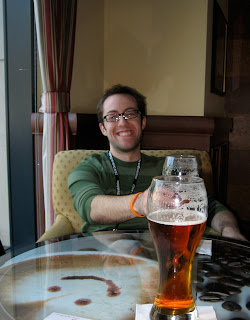 Cheeky Brad Taylor used beer to lure me into an interview. The rest of the to-do list came from interactions with users and suppliers. It was amusing to see how they reacted when I asked them questions like "how can we do better"; gathering it was sort of a refreshing change of pace from the booths that are selling product.
Cloud
No, this bit isn't about accessibility in the cloud. Compared to last year's CSUN, I felt a bit of a dark cloud unfortunately. Dreams of a full open source stack for accessibility have taken a hit recently, with Oracle closing Will Walker's position as GNOME Accessibility Lead, and other funding sources tightening up. Promising Caribou creator/hacker Ben Konrath has been an innocent victim of frozen grant funds within the group that contracted him. This is happening as the GNOME accessibility infrastructure is being ported to d-bus and other exciting and hairy issues loom, such as GNOME 3.0, and GNOME Shell. Novell has been doing more than its share in accessibility, but will that continue? I'd really like to see a coordinated funding strategy among the distros. I can dream can't I?
Sunshine
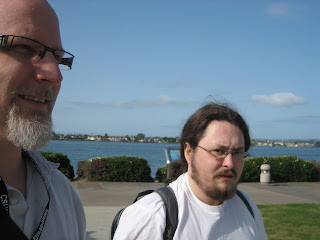 I am keenly aware of how lucky I am to work at Mozilla. More than ever I am resolved to make the most of it, to seize the days, and to help move the accessibility needle as much as we can.
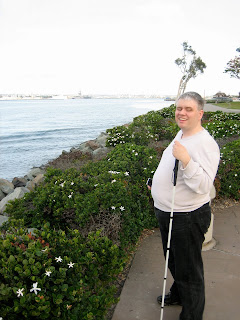 We have a tough road ahead of us with the web moving ever more to visual media, we'll see more usage of canvas, and (hopefully) SVG. We see people excited about video, and captioning. We should continue to support accessibility innovation in web video, to leverage things like javascript access to annotation tracks and sync information. Could be wicked times.
Memorable Moments
In his blog Marco mentioned speaking with a humorous gentleman through a sign language interpreter. Witnessing this, I was deeply moved for some reason.
Dinner with Joanie, the current Orca (Linux screen reader) maintainer, followed by debugging a pesky Orca+Firefox bug.
Finally meeting Charles McCathieNevile, Matt May, Flavio Percoco Premoli, Bryen Yunashko, Mike Gorse, and many others. I hope to see them all again.
Chatting with Steve Faulkner about some shared W3C pain.
Sharing a flight back to Toronto with Greg Fields (RIM accessibility) and planning a UI meetup.
OK that's enough! Sorry. Thanks for reading.
Uhm. Wow. That was rough. Three days of people loving Mozilla.
Meet ups

 Cheeky Brad Taylor used beer to lure me into an interview. The rest of the to-do list came from interactions with users and suppliers. It was amusing to see how they reacted when I asked them questions like "how can we do better"; gathering it was sort of a refreshing change of pace from the booths that are selling product.
Cloud
No, this bit isn't about accessibility in the cloud. Compared to last year's CSUN, I felt a bit of a dark cloud unfortunately. Dreams of a full open source stack for accessibility have taken a hit recently, with Oracle closing Will Walker's position as GNOME Accessibility Lead, and other funding sources tightening up. Promising Caribou creator/hacker Ben Konrath has been an innocent victim of frozen grant funds within the group that contracted him. This is happening as the GNOME accessibility infrastructure is being ported to d-bus and other exciting and hairy issues loom, such as GNOME 3.0, and GNOME Shell. Novell has been doing more than its share in accessibility, but will that continue? I'd really like to see a coordinated funding strategy among the distros. I can dream can't I?
Sunshine
 I am keenly aware of how lucky I am to work at Mozilla. More than ever I am resolved to make the most of it, to seize the days, and to help move the accessibility needle as much as we can.
 We have a tough road ahead of us with the web moving ever more to visual media, we'll see more usage of canvas, and (hopefully) SVG. We see people excited about video, and captioning. We should continue to support accessibility innovation in web video, to leverage things like javascript access to annotation tracks and sync information. Could be wicked times.
Memorable Moments
In his blog Marco mentioned speaking with a humorous gentleman through a sign language interpreter. Witnessing this, I was deeply moved for some reason.
Dinner with Joanie, the current Orca (Linux screen reader) maintainer, followed by debugging a pesky Orca+Firefox bug.
Finally meeting Charles McCathieNevile, Matt May, Flavio Percoco Premoli, Bryen Yunashko, Mike Gorse, and many others. I hope to see them all again.
Chatting with Steve Faulkner about some shared W3C pain.
Sharing a flight back to Toronto with Greg Fields (RIM accessibility) and planning a UI meetup.
OK that's enough! Sorry. Thanks for reading.
Friday, February 19, 2010
Accessibility Diagnostic Jetpack
 I put together a little jetpack that tells you if Firefox's accessibility service is actually running in your browser. It is basically David Baron's "about:accessibilityenabled" extension but as a jetpack. If you want to give it a whirl, strap it on.
You'll need to grab Jetpack if you don't have it already. Alternatively you can just use David Baron's handy about:accessibilityenabled extension.
Aside: we've noticed the gecko accessibility service is being used in some unusual places, for example, by some desktop anti-spyware; leading to unnecessary performance degradation. If you discover that our accessibility service is unexpectedly running in your Firefox session, please consider contacting me so we can figure out why...
Thanks for reading.
Wednesday, January 13, 2010
Accessible SVG is closer than you think
[Firstly, my apologies for not blogging more often (blame twitter). I have a number of unpublished blogs that I've let get stale so I'm going try not to save unpublished blogs anymore. We'll see how that goes. Anyways, here's one I probably should have written late last year...]
Sometime in early December, Aaron pinged me to discuss the topic of SVG accessibility. This led to a quick Firefox experiment (tweeted here) using the cutting edge HTML5 parser and WAI-ARIA. Note this demo is especially uninteresting if you don't use a screen reader. Long story short, it works and will work even better with a little gecko love. Web developers that have already invested in learning ARIA can apply this knowledge to SVG elements, add some JavaScript, and have a pretty striking and accessible application. Note: please don't look to my experiment for "striking" visuals... that's just not my thing... you have to use your imagination here.
I wonder, given the momentum HTML5 canvas currently has in the web developer playground, if the ability to inline SVG in HTML will breathe new life into SVG? As far as accessibility goes, it is certainly something for which I can hope.
Oh and if someone wants to fix up my demo, feel free, and please drop me a line... and I'll link to yours. I'm a total SVG noob.
Sometime in early December, Aaron pinged me to discuss the topic of SVG accessibility. This led to a quick Firefox experiment (tweeted here) using the cutting edge HTML5 parser and WAI-ARIA. Note this demo is especially uninteresting if you don't use a screen reader. Long story short, it works and will work even better with a little gecko love. Web developers that have already invested in learning ARIA can apply this knowledge to SVG elements, add some JavaScript, and have a pretty striking and accessible application. Note: please don't look to my experiment for "striking" visuals... that's just not my thing... you have to use your imagination here.
I wonder, given the momentum HTML5 canvas currently has in the web developer playground, if the ability to inline SVG in HTML will breathe new life into SVG? As far as accessibility goes, it is certainly something for which I can hope.
Oh and if someone wants to fix up my demo, feel free, and please drop me a line... and I'll link to yours. I'm a total SVG noob.
Friday, September 4, 2009
Keyboard control of html5 video elements
HTML 5 introduces the video and audio media elements. Playback is manipulated by the user with browser supplied controls (indicated via the controls attribute), or with author supplied controls. In the case of browser supplied controls the current Firefox implementation is described here, and an idea for potentially improved keyboard support is suggested.
 Show here is a screen shot of a video with no controls shown. In this case the reason they are not shown is because the mouse pointer is not hovering over the video. Hovering over this now won't show the controls; it is just an image after all.
This next image shows a blown up view of the controls that appear when the mouse hovers over the video. I've also hovered over the volume control here to show reveal the volume slider.
 Point at what you need, click what you want, move away, and enjoy your video. Nice. When the mouse user doesn't want to interact with the video, the controls slide away leaving an uncluttered video viewing experience. The gotcha here is that not all users are mouse users, and not all devices have a mouse (or touch screen).
Are you a keyboard user?
We have you covered. You can tab to the video element. The controls are not shown but the you can manipulate the video using some intuitive keystrokes such as arrowing left and right to go back and forward, space to toggle play and pause, and up and down arrows to control volume etc. Sighted keyboard users can enjoy uncluttered interaction with the video, while screen reader users can of course enjoy the same interaction regardless of visual clutter.
We still have some concerns:
1. Discoverability. Once a user has tabbed to a video, it is difficult to tell that the video has focus and there is nothing indicating that the video is keyboard controllable.
2. Feedback. The feedback after a user action is not as rich as the feedback when using the controls. For example, pressing right arrow to advance the video doesn't tell you how far ahead we went, or where we are in the overall length of the video.
An Idea...
Keep the current functionality but add a secondary keyboard interaction model. Once a user has tabbed to the video element then the video is directly controlled via the existing keystrokes. If the user hits tab again, the controls appear, and the first control is focused. A regular keyboard interaction model ensues for the controls (tab navigation, and per control keyboard manipulation). Tabbing past the last control leaves the video element entirely, moving to the next element in the document tab order.
Pros: Discoverability is solved. Feedback is solved.
Cons: It increases the number of items in the overall document tab order. Additional source code is required.
Thoughts?
Show here is a screen shot of a video with no controls shown. In this case the reason they are not shown is because the mouse pointer is not hovering over the video. Hovering over this now won't show the controls; it is just an image after all.This next image shows a blown up view of the controls that appear when the mouse hovers over the video. I've also hovered over the volume control here to show reveal the volume slider.
Point at what you need, click what you want, move away, and enjoy your video. Nice. When the mouse user doesn't want to interact with the video, the controls slide away leaving an uncluttered video viewing experience. The gotcha here is that not all users are mouse users, and not all devices have a mouse (or touch screen).Are you a keyboard user?
We have you covered. You can tab to the video element. The controls are not shown but the you can manipulate the video using some intuitive keystrokes such as arrowing left and right to go back and forward, space to toggle play and pause, and up and down arrows to control volume etc. Sighted keyboard users can enjoy uncluttered interaction with the video, while screen reader users can of course enjoy the same interaction regardless of visual clutter.
We still have some concerns:
1. Discoverability. Once a user has tabbed to a video, it is difficult to tell that the video has focus and there is nothing indicating that the video is keyboard controllable.
2. Feedback. The feedback after a user action is not as rich as the feedback when using the controls. For example, pressing right arrow to advance the video doesn't tell you how far ahead we went, or where we are in the overall length of the video.
An Idea...
Keep the current functionality but add a secondary keyboard interaction model. Once a user has tabbed to the video element then the video is directly controlled via the existing keystrokes. If the user hits tab again, the controls appear, and the first control is focused. A regular keyboard interaction model ensues for the controls (tab navigation, and per control keyboard manipulation). Tabbing past the last control leaves the video element entirely, moving to the next element in the document tab order.
Pros: Discoverability is solved. Feedback is solved.
Cons: It increases the number of items in the overall document tab order. Additional source code is required.
Thoughts?
Wednesday, April 22, 2009
Innovation and Usability in Firefox
This is almost a bait and switch... but not quite.
Where I see Frank's Mozilla Accessibility Strategy document providing direction for Firefox/gecko is in the Mozilla development process as it applies to pushing the web forward. Your friendly gecko accessibility team currently consists of 3 core members: Marco Zehe, Alexander Surkov, and some newbie. This team is a vital part of bringing the web to everyone, but also, by its existence, it has the potential to create a false sense of security; sort of a "the accessibility special forces has our back" cushion. To some extent that cushion exists, but you have to make sure you're sitting on it. So what am I getting at?
In a nutshell please see Marco's call for ping-age.
This is happening.
That's great.
Please do it more often.
I'm looking at you too #labs and #ux, cuz accessibility breeds innovation, and accessibility is usability.
Thanks for reading.
Where I see Frank's Mozilla Accessibility Strategy document providing direction for Firefox/gecko is in the Mozilla development process as it applies to pushing the web forward. Your friendly gecko accessibility team currently consists of 3 core members: Marco Zehe, Alexander Surkov, and some newbie. This team is a vital part of bringing the web to everyone, but also, by its existence, it has the potential to create a false sense of security; sort of a "the accessibility special forces has our back" cushion. To some extent that cushion exists, but you have to make sure you're sitting on it. So what am I getting at?
In a nutshell please see Marco's call for ping-age.
This is happening.
That's great.
Please do it more often.
I'm looking at you too #labs and #ux, cuz accessibility breeds innovation, and accessibility is usability.
Thanks for reading.
Sunday, March 22, 2009
CSUN's 2009 Accessibility Conference
Late last week I attended the 2009 Technology & Persons with Disabilities Conference, a conference which most of us accessibility folks call "c-sun" as it has been held at CSUN for over 20 years. What makes this an exceptionally important conference for accessibility is that it brings users, developers, educators, clinicians, visionaries, and policy makers together in one place. Thankfully a lot of them seem to love Firefox... and for good reason; more on that later.
I was particularly jazzed about getting time in the same room with other Firefox developers: Alexander Surkov, Marco Zehe, and Aaron Leventhal. We spent some mornings, afternoons, and evenings together discussing the past, present, and future of web accessibility, children, wives, and vodka. When people had faded into their rooms, Alexander and I used the later hours to hack together and discuss gecko accessibility code design. His patch reviews are even faster than usual when he's sitting next to me.
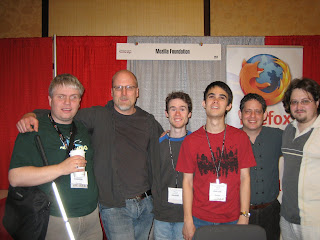
Mozilla works hard "to ensure that the Internet is developed in a way that benefits everyone". It seems pretty clear Mozilla, especially with the work in WAI-ARIA for DHTML, has developed a reputation for pioneering accessibility. As UI issues arise on the web people are looking to Mozilla for answers, and we are keen to work with other communities to find the right solutions. To this end I made sure to get some face time with people at CSUN that I think will help, including Henny from Opera, and JP from Microsoft. In some cases attendees made sure to find me. Flattering. Anyways, I won't bather on much longer as I think Marco will be giving a much better report soon.
Smiling in the picture up above are: Marco Zehe, David Bolter (me), the NVDA developers Mick Curran and James Teh, Aaron Leventhal, and Alexander Surkov (Eitan was absent for this photo). I quite like how Marco's cane glows like a Jedi weapon in this shot.
May the force be with us.
I was particularly jazzed about getting time in the same room with other Firefox developers: Alexander Surkov, Marco Zehe, and Aaron Leventhal. We spent some mornings, afternoons, and evenings together discussing the past, present, and future of web accessibility, children, wives, and vodka. When people had faded into their rooms, Alexander and I used the later hours to hack together and discuss gecko accessibility code design. His patch reviews are even faster than usual when he's sitting next to me.

Mozilla works hard "to ensure that the Internet is developed in a way that benefits everyone". It seems pretty clear Mozilla, especially with the work in WAI-ARIA for DHTML, has developed a reputation for pioneering accessibility. As UI issues arise on the web people are looking to Mozilla for answers, and we are keen to work with other communities to find the right solutions. To this end I made sure to get some face time with people at CSUN that I think will help, including Henny from Opera, and JP from Microsoft. In some cases attendees made sure to find me. Flattering. Anyways, I won't bather on much longer as I think Marco will be giving a much better report soon.
Smiling in the picture up above are: Marco Zehe, David Bolter (me), the NVDA developers Mick Curran and James Teh, Aaron Leventhal, and Alexander Surkov (Eitan was absent for this photo). I quite like how Marco's cane glows like a Jedi weapon in this shot.
May the force be with us.
Thursday, March 12, 2009
Firefox Accessibility Goals
Ahhh Spring.
As we approach the ides of March, it is time for the Mozilla accessibility community to reflect, and to plan for the next quarter and beyond. Here are the high level goals we are thinking are priorities for next the few months:
All this planning is based on user feedback so feel free to leave a comment on this blog or drop a note on Mozilla's accessibility list... we're listening. Oh! If you happen to be at CSUN next week, please come find one of us at the Mozilla booth!
Thanks for reading.
As we approach the ides of March, it is time for the Mozilla accessibility community to reflect, and to plan for the next quarter and beyond. Here are the high level goals we are thinking are priorities for next the few months:
- OS X
- DHTML (WAI-ARIA 1.0 compliance)
- Stability and test coverage
All this planning is based on user feedback so feel free to leave a comment on this blog or drop a note on Mozilla's accessibility list... we're listening. Oh! If you happen to be at CSUN next week, please come find one of us at the Mozilla booth!
Thanks for reading.
Friday, February 27, 2009
ARIA User Agent Implementation Task Force
Today we kicked off the first meeting for the "ARIA User Agent Implementation Task Force" (UAI-TF). Our primary goal is browser compatibility in our WAI-ARIA implementations for DHTML accessibility -- vital stuff. The group is very lean and today there was representation from browser people at Microsoft and Mozilla.
If you are an Opera, Webkit, or Safari accessibility developer please consider joining us.
Aside: a big shout out for Aaron Leventhal for planting the seeds of this, and for the excellent and detailed document he created to guide browser developers on ARIA implementation.
If you are an Opera, Webkit, or Safari accessibility developer please consider joining us.
Aside: a big shout out for Aaron Leventhal for planting the seeds of this, and for the excellent and detailed document he created to guide browser developers on ARIA implementation.
Saturday, January 10, 2009
Joining the Mozilla Accessibility Team
For my readers, all 5 of you, I want you to know the rumors are truthy. The Mozilla Corporation has come to an arrangement with the ATRC that will allow me to spend some time focusing on helping Marco and Surkov with Firefox accessibility!
We're scattered nicely. Marco works in Germany, and Surkov in Siberia. I'm working out of Mozilla's Toronto office where, in one week, I've managed to spill shawarma juice on Beltzner's chair, ramble irrelevantly and incoherently to Jeff Muizelaar about C++ object layout compiler differences[1], and order the sandwich melt instead of the dry rub ribs at CGL. What was I thinking?
Things I've learned: some spouses do in fact let their husbands brew beer in the kitchen, seriousness combined with fun is serious fun, having an espresso machine in the office is genius, the world stops for women's five pin bowling, if an Olympian uses chemical enhancements then they should compete in an evening gown, and finally, I'm going to learn a lot. I'm used to working with smart people... but these guys are sick!
[1] My current bed time reading is "Inside the C++ Object Model" by Lippman. I wish I'd read this 12 years ago. I recommend it to anyone interested in C++ object layout, compiler optimizations and so on... fantastic... but my next book choice will be fiction.
We're scattered nicely. Marco works in Germany, and Surkov in Siberia. I'm working out of Mozilla's Toronto office where, in one week, I've managed to spill shawarma juice on Beltzner's chair, ramble irrelevantly and incoherently to Jeff Muizelaar about C++ object layout compiler differences[1], and order the sandwich melt instead of the dry rub ribs at CGL. What was I thinking?
Things I've learned: some spouses do in fact let their husbands brew beer in the kitchen, seriousness combined with fun is serious fun, having an espresso machine in the office is genius, the world stops for women's five pin bowling, if an Olympian uses chemical enhancements then they should compete in an evening gown, and finally, I'm going to learn a lot. I'm used to working with smart people... but these guys are sick!
[1] My current bed time reading is "Inside the C++ Object Model" by Lippman. I wish I'd read this 12 years ago. I recommend it to anyone interested in C++ object layout, compiler optimizations and so on... fantastic... but my next book choice will be fiction.
Wednesday, December 17, 2008
Browser Accessibility Acid Test?
We're on our way! Thanks to funding from the Mozilla Foundation, Eitan Isaacson has built a tool for comparing browser accessibility implementations. His latest post titled "Apples and Pairs" provides some examples of its usage.
Thank you Eitan!
Thank you Eitan!
Sunday, November 9, 2008
Using .attr for ARIA in jQuery UI
Last week I found some time to hack on jQuery UI again. After talking to Scott we decided to pull the ariaRole, and ariaState API out of UI core, and put the browser normalization for ARIA right into the popular
At this time, jQuery UI is a dependency for this enhanced attr function. We add the ARIA smarts in ui.core.js via proxy function, like this:
Here's an example of how one might use chaining to add the ARIA role of "tab" to all elements with a class "ui-accordion-header), and the ARIA state "aria-expanded=false", and add the ARIA role "tabpanel" to the next sibling of each (which happens to be the panels).
Thanks for reading.
attr function where it belongs.At this time, jQuery UI is a dependency for this enhanced attr function. We add the ARIA smarts in ui.core.js via proxy function, like this:
// proxy attr
var attr = $.attr;
$.attr = function () {
    // if aria usage then normalize
    // else
    attr.apply(arguments);
};
attr enhancement really belongs in jQuery core. Or maybe it belongs there regardless? If you are doing Web2.0 development you're probably going to need it.Here's an example of how one might use chaining to add the ARIA role of "tab" to all elements with a class "ui-accordion-header), and the ARIA state "aria-expanded=false", and add the ARIA role "tabpanel" to the next sibling of each (which happens to be the panels).
$(".ui-accordion-header")
    .attr('role','tab')
    .attr('aria-expanded','false')
    .next()
    .attr('role','tabpanel');
Thanks for reading.
Friday, October 17, 2008
Google Health with WAI-ARIA support!
T.V. Raman reports the latest Google ARIA addition goes to Google Health. See also the related article in eWeek. It makes good business sense, and is a good move for many reasons.
Google's approach, of sending ARIA over the wire only when necessary, intrigues me, but I think there must be a better way of automating the decision. Are users comfortable setting "enable screenreader support" as a preference? It seems many people are generally concerned about giving away too much information about themselves...
T.V. lists the key-bindings for using this Web 2.0 application and they look like they gel with the DHTML Style Guide. Nice work Google.
The W3C draft specification: WAI-ARIA continues its emergence as the solution for providing Web2.0 experiences for everyone.
Google's approach, of sending ARIA over the wire only when necessary, intrigues me, but I think there must be a better way of automating the decision. Are users comfortable setting "enable screenreader support" as a preference? It seems many people are generally concerned about giving away too much information about themselves...
T.V. lists the key-bindings for using this Web 2.0 application and they look like they gel with the DHTML Style Guide. Nice work Google.
The W3C draft specification: WAI-ARIA continues its emergence as the solution for providing Web2.0 experiences for everyone.
Subscribe to:
Posts (Atom)